
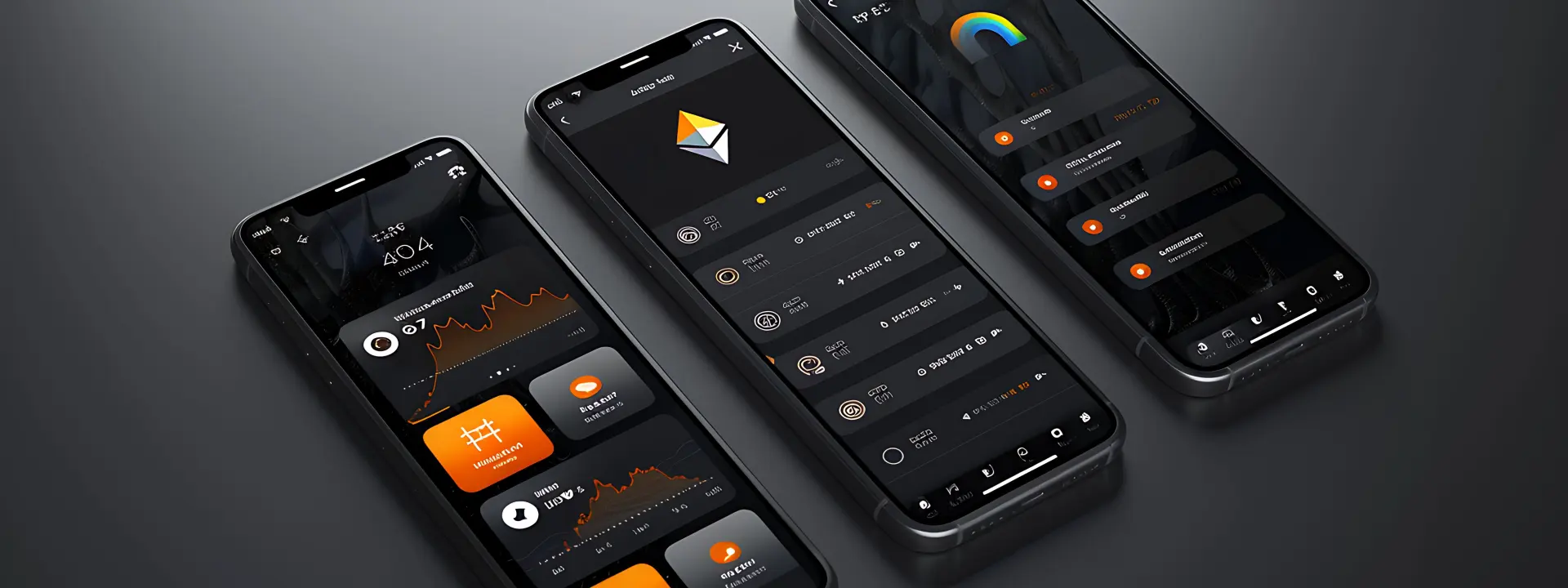
Doctor appointment and healthcare app projects usually start because the phone keeps ringing at the wrong time. If your clinic, practice or diagnostic desk is taking bookings by voice, paper and memory, this page shows how to turn that into something people can actually use without making staff do extra work.
The point is not to add another fancy screen. It is to make appointments clearer, reduce repeat calls and help patients know what happens next, especially when they are on a phone with patchy data and just want the slot confirmed.
What the app must do
What people actually want from a doctor booking app
Most people searching for a doctor appointment and healthcare app are not looking for a long feature list. They want a straight path from “I need a slot” to “done”, with enough detail that they know the visit is real and not a guess. In clinics we speak to, the pain is usually simple: missed calls, double-booked timings, patients turning up early for no reason, and staff trying to remember who promised what to whom.
A patient does not care how clever the backend is. They care that the doctor name is right, the time is visible, the booking is saved and the app does not hang when the signal drops. That sounds basic, but basic is where many apps fail. And when they fail, the front desk gets blamed.
Patient flow should stay short
The booking path should not wander through ten screens. Ask for the minimum first: doctor or department, date, time, name, contact and maybe a short reason for the visit. Anything extra should come later, because people on mobile data in places like Nagercoil do not enjoy long forms, and they will abandon them if the page gets heavy or slow.
Clinic staff need a different view
The staff side is not the same thing as the patient side. Reception needs a clear list of appointments, quick edits, cancellation handling and notes that do not disappear into a chat thread. A nurse or coordinator may need separate access from the doctor, and that split matters. If everyone sees the same screen, everyone wastes time.
- Show the next available slot before the user starts typing.
- Keep doctor availability visible in one place, not hidden in settings.
- Send a clear confirmation after booking, with date and time repeated.
- Let staff move or cancel an appointment without rebuilding the whole schedule.
How we plan the healthcare app properly
We start with workflow, not screens. A good app mirrors the clinic's real day, which means understanding call volume, doctor schedules, repeat visits and what the front desk already does on paper. Without that, you end up designing a pretty thing that nobody trusts.
- Map the appointment path. We write down how a patient books now, who answers, what details matter and where the process breaks when the phone is busy.
- Separate patient and staff tasks. The patient should see booking and reminders, while the clinic should see schedules, approvals and notes in a cleaner admin area.
- Decide what data is needed. We keep the first version lean, then add follow-up fields, consultation types or records only when they have a real use.
- Test on an ordinary phone. If the app feels slow on mobile data or the text is hard to read in sunlight, it needs work before launch.
- Check the handover details. Every booking should end with a clear confirmation path so patients know what happens next and staff know what to expect.
What changes between a small clinic and a multi-doctor setup
The table below shows the parts that tend to shift first. A single-doctor practice can stay lean, while a larger clinic needs more control around time slots, permissions and reminders. The good part is that the structure can stay simple if we think about it early instead of piling features on later.
| Area | Small clinic need | Multi-doctor clinic need |
|---|---|---|
| Booking flow | Quick slot selection and simple confirmation | Department filters, doctor selection and slot rules |
| Staff access | One admin view with a few controls | Role-based access for reception, nurse and doctor |
| Reminders | Basic reminder before the visit | Reminders plus reschedule alerts and no-show follow-up |
| Records | Notes tied to the appointment | Appointment history, repeat visits and patient file structure |
Why speed and clarity matter more than fancy features
In healthcare, people are usually in a hurry or a little stressed. They may be booking for a child with a fever, a follow-up after treatment, or an elder who does not want to sit in a waiting room longer than needed. If the app is cluttered, those users bounce. If it is clear, they stick with it.
Appointments fail when the next step is vague
A booking is not the finish line. The patient still needs to know whether to wait for approval, arrive five minutes early, carry reports or come empty-handed. That message should be obvious in the app, not hidden in a tiny email no one opens. In our experience, the second message matters nearly as much as the first.
We also keep an eye on what gets in the way. Large banner images, auto-playing video and too many popups can make a healthcare app feel unreliable, and people notice that fast. If the page opens slowly on a phone in a bus stand or at home on mobile data, trust drops before the first tap.
What we build around it
For a project like this, we usually pair the app with the right web foundation. If your clinic also needs a cleaner public site, our web application development work handles the logic side, while mobile app development covers the patient-facing app that people carry in their pocket.
Some clinics also ask for search visibility, especially when they want patients to find the right department or service online first. That is where SEO comes in, but only after the app and website are structured properly. We also keep an eye on the broader system through services when someone needs more than one piece built together.
How Webglits can help
We build practical apps, not showroom pieces. For a doctor appointment and healthcare app, we can help you shape the booking flow, clinic admin side and the bits that sit next to it, like a public website or a lighter web portal. If you want the clinic website to match the app, our website design work and custom web applications often fit the same project.
We work from Nagercoil, we talk to you directly, and we do not hand your project off to someone else halfway through. If you want a sane plan, send the details and we will come back with a quote within 24 hours, free and with no obligation.
Call +91 90430 22255, message us on WhatsApp, or email [email protected]. We are in Nagercoil, Tamil Nadu, Mon–Sat 9am to 6pm.
Common questions
Questions people ask before starting
What should a doctor appointment and healthcare app include?
At minimum, it should let a patient find a doctor, pick a slot, get a confirmation and come back later for follow-ups. On the clinic side, you also want schedule control, doctor availability, patient notes and a way to send reminders without doing it by hand every time.
Can a doctor booking app work for a small clinic?
Yes. Small clinics usually need it more because the front desk gets interrupted all day by calls, walk-ins and repeat questions. A simple app can cut that back by letting people book, reschedule and check details without waiting on the phone.
How long does it take to plan a healthcare app properly?
The planning part should not be rushed. You need time to map who books, who approves, what the staff sees and which data must stay private, and that usually takes a few focused sessions before design starts.
What is the difference between a patient app and a clinic app?
A patient app is usually the front door: search, booking, reminders, reports and basic account details. The clinic app or admin side handles doctor schedules, appointment lists, cancellations, notes and the work behind the counter.
Do healthcare apps need WhatsApp or SMS reminders?
Most local clinics ask for that first because missed appointments waste time for everyone. The reminder method depends on the workflow, but the idea is the same: people should see the appointment again before the day slips past them.
Can you build a doctor appointment app with records and follow-ups?
Yes, if the scope is clear. We usually separate the booking layer from the record layer so the app stays usable, because a pile of medical fields with no structure becomes a headache for staff very quickly.
A doctor appointment and healthcare app works best when it respects the way real clinics already operate. Keep the booking path short, keep the staff view clean and keep the next step obvious, and the whole thing gets easier for both sides. That is the kind of app we like building.

Replies within 24 hours
Tell us what you need
Share your requirement and we will send a tailored quote within 24 hours. No obligation, no pressure — and you talk to the people who would actually build it.