
What it does
Printed menus go out of date the day you print them
Prices move, dishes come and go, and reprinting costs money every time. A MyVMenu QR code on the table stays the same while the menu behind it changes as often as you need.
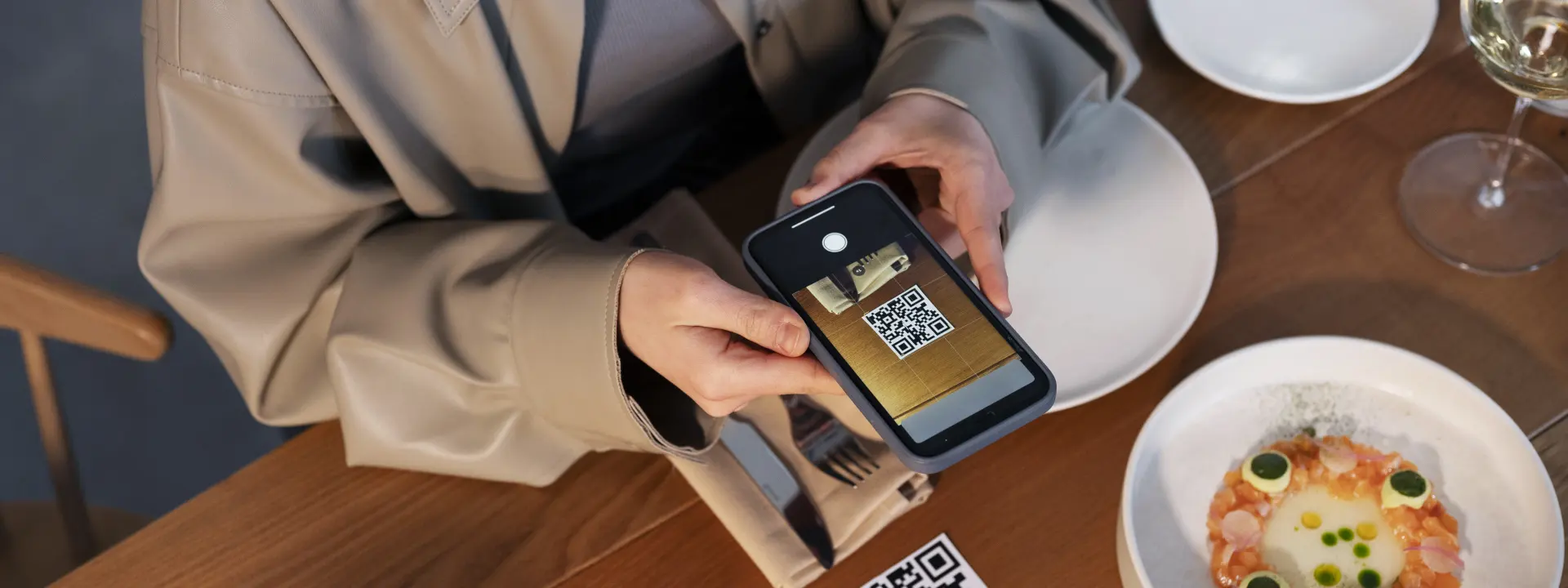
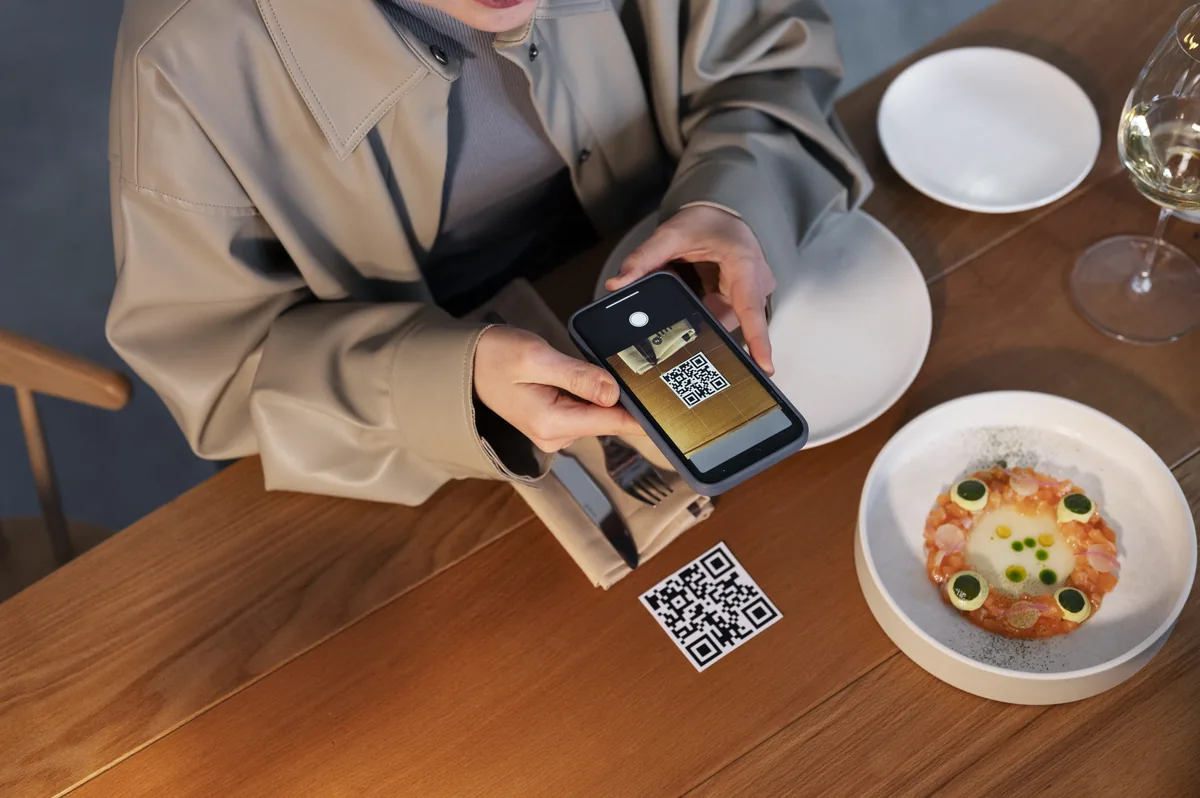
Customers point a camera at the code and the menu opens. No app, no typing, no waiting for a printed card that someone else is using.
- No app for your customers to install
- Update prices and dishes from your phone
- Offer banners and festival messages you can switch on and off
- Works for restaurants, cafes, bakeries and cloud kitchens

Why it works
Why restaurants keep it
One code per table
Print it once. Change the menu as often as you like without reprinting anything.
No app to install
Guests scan and the menu opens in their browser. Nothing to download, nothing to sign up for.
Change a price in seconds
Sold out? Hide the dish. New special? Add it before service starts.
The real cost of a printed menu
Ask most restaurant owners what a menu costs and they will name the printing bill. That is the smallest part of it. The real cost is spread across the whole year in ways that never appear on an invoice.
Prices go up and the menus do not, because reprinting forty cards for a two-rupee change is not worth it - so the kitchen absorbs the difference for months. A dish sells out at eight o'clock and every table for the rest of the evening orders it anyway, so a waiter apologises fifteen times. A new item is added and it lives on a slip of paper tucked into the card, which is the first thing a customer ignores. A card goes missing or gets damaged and the set is now mismatched.
None of those is a disaster on its own. Together they are the reason a menu is almost always slightly out of date, slightly apologetic, and slightly behind what the kitchen is actually doing tonight.
What changes when the menu lives online
The QR code on the table never changes. What sits behind it changes whenever you want it to, from a phone, in a few seconds. That sounds like a small thing and it turns out to change the way the menu is used.
Prices become something you can actually keep current. A sold-out dish gets hidden at the moment it sells out, not at the end of the week. A special can go up at eleven and come down at three. A festival greeting can sit at the top of the menu for exactly the days it is relevant. The menu stops being a printed object that ages and becomes something closer to a board you can rewrite.
Photographs sell dishes, and print cannot afford them
A printed menu with a photograph of every dish is expensive and quickly wrong. Online, photographs cost nothing to include and nothing to change. For anyone selling to customers who are new to the cuisine, unsure what a dish is, or simply hungry and browsing, that is the single biggest difference in what gets ordered.
It also helps with the items you want to sell more of. A well-photographed dish placed near the top of a category does measurably better than the same dish as a line of text halfway down.
How it works in a working restaurant
The customer side is deliberately simple, because anything more would be a barrier. A guest opens the phone camera, points it at the code on the table, and the menu opens in the browser. There is no app, no account, no sign-up, and nothing to remember.
That matters more than it might seem. Every extra step between the table and the menu loses people, and a guest who cannot open the menu in five seconds will simply ask a waiter - which is fine, but it means the system has bought you nothing.
Your side: a phone, a login, and about a minute
You log in from a phone or a computer. Categories hold dishes, dishes have a name, a description, a price and optionally a photograph, and each one can be switched on or off. Editing a price is a matter of typing the new one and saving. The next customer to scan sees it.
Offer banners and festival messages sit at the top of the menu and can be turned on and off in seconds, which is far more useful in practice than it sounds - a banner up for the three days of a festival costs nothing and would never have justified a reprint.
Where the codes go
Most places put one on each table, either printed on a small stand or as a sticker under a glass top. Beyond that, the same code is worth putting on the entrance, the counter, the takeaway packaging, the delivery bags and the visiting card, because each of those is a moment when somebody might want to look at what you serve.
The code does not change, so any of those can be printed once and left alone. That is the point of the arrangement: the printed thing stays still, and the menu behind it moves.
Kitchens with more than one menu
Plenty of places serve a breakfast menu, a lunch menu and an evening menu, or a different list in the bar from the restaurant. That works here as separate menus behind separate codes, or one menu with categories switched on and off by time of day, and which of those is simpler depends entirely on how your service runs. It is worth a conversation before the codes get printed.
Who it suits, and who it does not
We would rather you knew where this fits before you commit. It is not right for everyone, and the places it works best have a few things in common.
| Type of place | Fit | Why |
|---|---|---|
| Restaurants and cafes | Strong | Long menus, frequent price changes, dishes that sell out mid-service |
| Bakeries and sweet shops | Strong | Seasonal and festival items that change constantly; photographs sell them |
| Cloud kitchens | Strong | No dining room at all - the menu link is the whole shopfront |
| Hotels and resorts | Good | Room service, multiple outlets and guests who prefer their own phone |
| Juice bars and small counters | Good | A board works in the shop; the code works for takeaway and delivery bags |
| A fixed five-item menu | Probably unnecessary | If it never changes, a printed card is doing the job perfectly well |
How it runs
From your existing menu to codes on the tables
Most places are live within a few days, and the only real work is deciding what the menu should say.
Send the menu
Your current card, a photo of it, or a list - whatever you already have.
We set it up
Categories, dishes, prices and photographs entered and checked with you.
Print the code
One code, printed on stands, stickers, packaging and the entrance.
Go live
Scan it yourself at a table and check it reads the way you want.
Run it
You change prices and dishes yourself; we are there when you need us.
Where MyVMenu fits with the rest of your online presence
A digital menu is often the first thing a restaurant puts online, and for some places it is genuinely enough for a while. But the menu link does not help somebody who has not found you yet, and that is the gap most food businesses need to close next.
A proper website gives you somewhere to rank and something to link the menu from. A well-maintained Google Business Profile and a steady flow of reviews decide whether you appear when somebody nearby searches for a place to eat - which is what our Bizgo product exists to make routine. And if you want to take orders and payments rather than just show a list, that is an online ordering build rather than a menu.
We built MyVMenu, we host it, and we support it ourselves - it is not white-labelled software with our name on it. That also means when you ask for something it goes to the people who wrote it.
Call +91 90430 22255, message us on WhatsApp, or email [email protected]. We are in Nagercoil, Tamil Nadu, Mon–Sat 9am to 6pm, and every quote comes back within 24 hours.
Common questions
Questions restaurant owners ask about MyVMenu
Do customers need to install an app?
No. They point the phone camera at the QR code and the menu opens in the browser. Nothing to download, no account, no sign-up, and it works on any reasonably recent phone.
How do I change a price?
Log in from your phone, edit the item, save. The next customer who scans sees the new price - no reprinting and no waiting. The same applies to hiding a dish that has sold out.
Can I show offers and festival messages?
Yes. You can push an offer banner or a festival greeting to the top of your menu and take it down when it is finished. Because there is nothing to print, it is worth doing for even a two-day occasion.
What if the customer has no internet on their phone?
The menu needs a connection to load, so it is worth keeping a few printed cards for that case, and many places do. Offering wi-fi at the tables solves it properly and tends to be appreciated anyway.
Do I have to throw away my printed menus?
Not at all, and we would not advise it on day one. Most places run both for a while - the code on the table and a few cards behind the counter - and let the printed ones fall out of use naturally as they wear out.
Can customers order from it, or only look?
MyVMenu is built for browsing and ordering through your existing service. If you want a full ordering and payment system with order routing to the kitchen, that is a larger build and we quote it as an e-commerce project rather than a menu.
What if I have separate breakfast, lunch and dinner menus?
That works, either as separate menus behind separate codes or as categories you switch on and off through the day. Which one is simpler depends on how your service runs, so it is worth a short conversation before we print anything.
Who do I call if something goes wrong?
Us. We wrote MyVMenu, we host it, and we support it ourselves, so there is no vendor in between. Call +91 90430 22255 or send a WhatsApp message and you reach the people who can actually fix it.
The case for a digital menu is not that it is modern. It is that a menu should be able to tell the truth about tonight - what the kitchen is actually serving, at the price you are actually charging, without a dish that ran out two hours ago still sitting on the card. Printing cannot do that at any sensible cost, and a QR code can.
If you run a restaurant, cafe, bakery or cloud kitchen anywhere in Tamil Nadu and you want to see how it would look with your own menu in it, send us your current card and we will set up a sample. Call +91 90430 22255, message us on WhatsApp, or ask for a quote and it comes back within 24 hours.

Replies within 24 hours
Tell us what you need
Share your requirement and we will send a tailored quote within 24 hours. No obligation, no pressure — and you talk to the people who would actually build it.