

Complaint and service request tracking system setup is for the moment when calls, messages and paper notes stop lining up. You need one place where the issue lands, somebody owns it, and the customer can be told what happened without anyone digging through old chats.
We see this most often in owner-run businesses where the front desk, field staff and manager all handle the same case at different times. In those places, the problem is rarely the work itself, it's the record of the work.
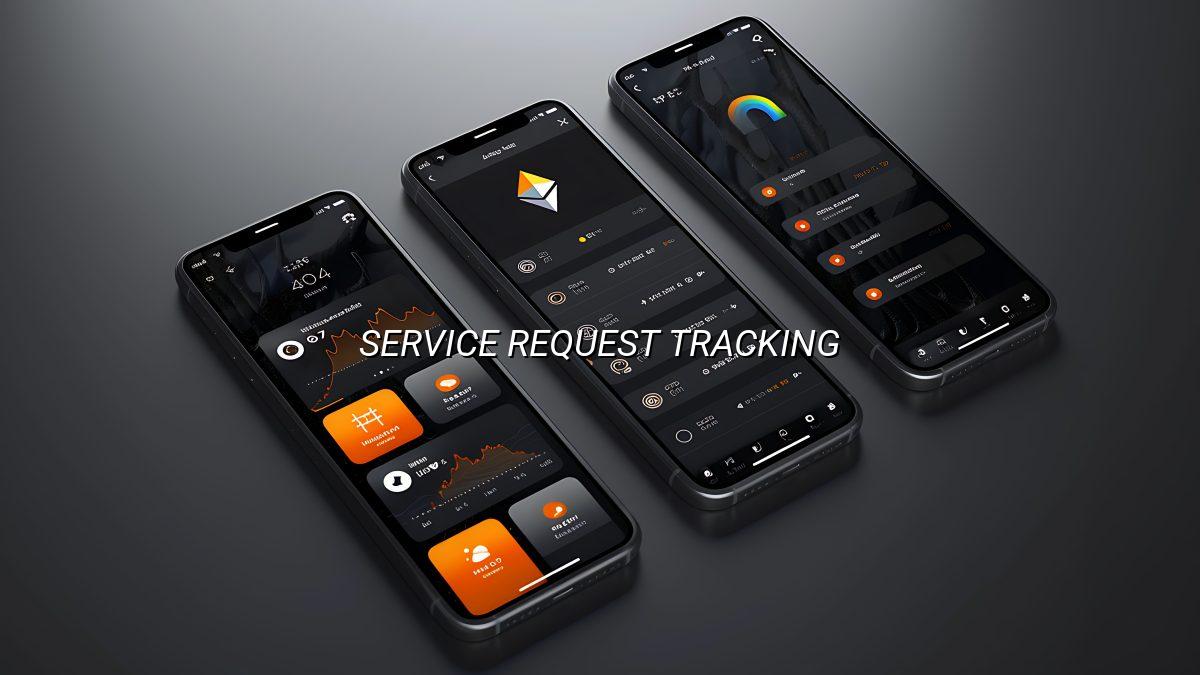
What you actually need
Why a complaint and service request tracking system matters
A complaint and service request tracking system is not there to make office work look modern. It is there so the same customer doesn't have to repeat the same story three times, and your team can see what has already been promised before somebody says the wrong thing again. That sounds small until you have ten open issues, two staff on leave and a phone ringing every five minutes.
In our work, the real pain is usually not the first complaint. It is the second call, when the customer asks, "what happened to this?" and nobody can answer without checking three places. A proper record turns that into one search. One screen. One owner.
What usually goes wrong without it
People write the complaint in a paper register, then send a WhatsApp message, then tell the technician, then forget to update the front desk. By the time the customer follows up, each person remembers a different version. That kind of drift wastes time and makes the business look careless even when the work itself is fine.
Who feels the difference first
Front-office staff feel it first because they answer the follow-up calls. Managers feel it next because they get pulled in when the case turns messy. Service teams feel it too, especially if they are moving between locations in Nagercoil, Kanyakumari District or anywhere else where the day is already busy and mobile data is not perfect.
- Keep every complaint and request in one searchable record instead of scattered notes.
- Assign each case to one owner so customers don't get passed around.
- Track status changes clearly: open, in progress, waiting, resolved and closed.
- Store calls, messages, attachments and notes together so history is not lost.
How the system should work day to day
The useful version is plain. Someone logs the issue, the system tags it, a staff member picks it up, and every update is visible until the matter is done. If your process needs approvals, repeat visits or a parts check, those steps can sit inside the flow too, but the first rule is still the same: no case should disappear into a side chat.
- Log the request. Capture the customer name, contact method, subject, short description and urgency. The form should be quick enough to finish while the caller is still on the line.
- Classify it properly. Mark whether it is a complaint, repair, maintenance issue or service request. That one decision helps route the case to the right person without manual sorting.
- Assign an owner. Every case needs one person responsible for progress, even if several people touch it later. Shared responsibility sounds nice and usually turns into nobody checking back.
- Update the record as work happens. Notes, calls, visits, parts used, waiting reasons and customer replies should all go into the same history. That way the next person does not start from zero.
- Close with a clear outcome. Mark what was fixed, when the customer was informed and whether any follow-up is still pending. A closed case without a final note is just an open case in disguise.
What fields matter most
You do not need a crowded screen. You need the right fields in the right place. For most businesses, the useful ones are the request category, branch or location, assigned staff member, current status, due date, priority, notes and attachments. If you skip the obvious follow-up fields, people start using free-text notes as a workaround and the structure falls apart fast.
| Field | Why it matters | Example use |
|---|---|---|
| Request type | Routes the case to the right team | Complaint, repair, support or follow-up |
| Priority | Shows what needs attention first | Same-day customer issue or routine callback |
| Status | Tells everyone where the case stands | Open, assigned, waiting, resolved, closed |
| Owner | Prevents nobody taking responsibility | One named staff member in charge |
| History | Keeps the timeline visible | Calls, visits, notes and file uploads |
Designing it for real users, not software people
A lot of tracking tools fail because they are built for someone who likes menus more than work. The person entering a complaint at a counter does not want five extra screens. They want a big enough form, a clear status, and a search box that finds the case later without a scavenger hunt.
Phone use changes everything
Most owners in our region ask for phone-friendly screens because staff are often outside, at a branch, or moving between tasks. A page that is fine on a desktop but awkward on a phone is not really ready. Slow connections matter too. If a request takes too long to save, the user will refresh, tap twice, or give up and write it somewhere else, which means the mess comes back.
Simple reporting beats fancy dashboards
You do not need a wall of charts to know whether cases are getting handled. A sensible report should tell you how many are open, how many are waiting on someone, which complaints repeat often, and where the delays are. If you run a clinic, a repair desk, or a small service business, those few numbers tell a better story than a glossy dashboard that nobody checks.
And there is a second benefit people forget. Records like this help with staff handovers. If the person who took the call is on leave, the next person can open the case and see the chain instead of asking around. It saves a lot of awkward "who spoke to this customer?" moments.
How Webglits can help
We build this kind of system as a custom web application, shaped around your process instead of forcing your team into generic software. If you also need customer-facing contact flows, we can connect the work with our web application development and custom web application services so the forms, assignment flow and reporting all match.
When the system has to be found by new customers too, the same build can sit beside a sensible site structure from our website design work. We keep the screens light, usable on mobile data, and easy enough that your staff can use them without training sessions that drag on for a week.
Call +91 90430 22255, message us on WhatsApp, or email [email protected]. We are in Nagercoil, Tamil Nadu, Mon–Sat 9am to 6pm.
Common questions
Questions people ask before they build one
What is a complaint and service request tracking system used for?
It gives you one place to record every complaint, service call, repair request and follow-up. That matters when calls come in by phone, WhatsApp, email and office visit, because things get lost the moment they live in more than one notebook. A proper system shows who owns the case, what was promised, and whether it is still open or closed.
How does a complaint tracking system help a small business?
It stops the same issue from being handled twice by different people with different answers. For a clinic, shop, or service business in Nagercoil, that usually means fewer awkward callbacks, cleaner records and less time spent asking who spoke to the customer last. You also get a trail when somebody says, "we already told you that".
Can service requests be assigned to different staff members?
Yes, and that is usually the first thing people need. A request can go to the right person based on category, branch, urgency or the kind of work it needs, so the office is not acting like a forwarding desk all day. The system should make reassignment visible too, because handoffs are where most mistakes start.
What details should be stored in a complaint log?
At minimum, you want the customer name, contact details, the request type, the date and time, the description, priority, status, assigned staff and notes from each update. If the business handles repeat visits or repairs, add product or service reference fields so the history is there when the same person calls again. A short attachment section helps when photos or documents matter.
Do I need a custom web application for this kind of system?
If your process is simple, a generic tool may be enough. But once you need your own status stages, branches, approval steps, customer messages or reporting, a custom web application is usually the cleaner option. It fits the way your team already works instead of forcing you to work around somebody else’s screens.
Can Webglits build this as a web app for mobile use?
Yes. We build browser-based systems that are meant to be used on a phone first, because that is how many people actually take complaints or service requests in the field. If the person raising the issue is standing at a counter or on a site visit, the form has to be quick, readable and easy to finish.
If your complaints and service requests are still living in notebooks, phone calls and random chat threads, you're already paying for the confusion. A proper complaint and service request tracking system brings order to that mess and gives your team something they can actually work from. When you're ready, we'll help you shape it around the way your business really runs.

Replies within 24 hours
Tell us what you need
Share your requirement and we will send a tailored quote within 24 hours. No obligation, no pressure — and you talk to the people who would actually build it.